Iedere dag bieden wij GRATIS software met licentie waarvoor je normaliter moet betalen!

Giveaway of the day — WinSysClean X11 PRO 21.0.0.550
WinSysClean X11 PRO 21.0.0.550 werd aangeboden als een giveaway op 9 januari 2023

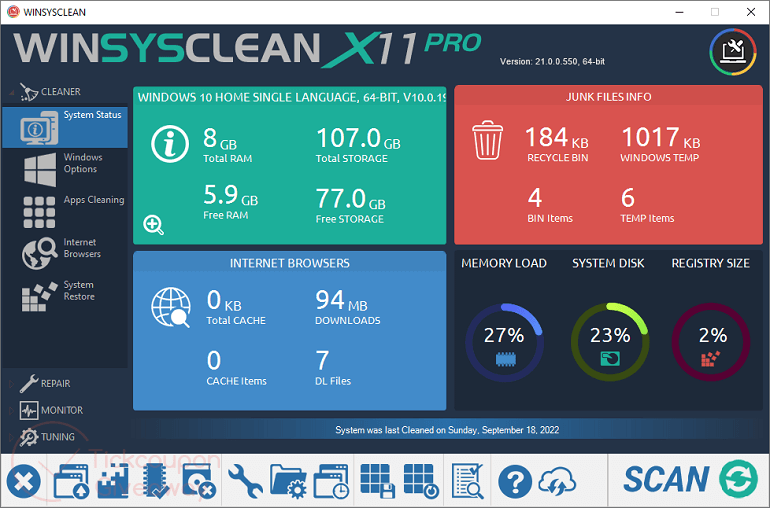
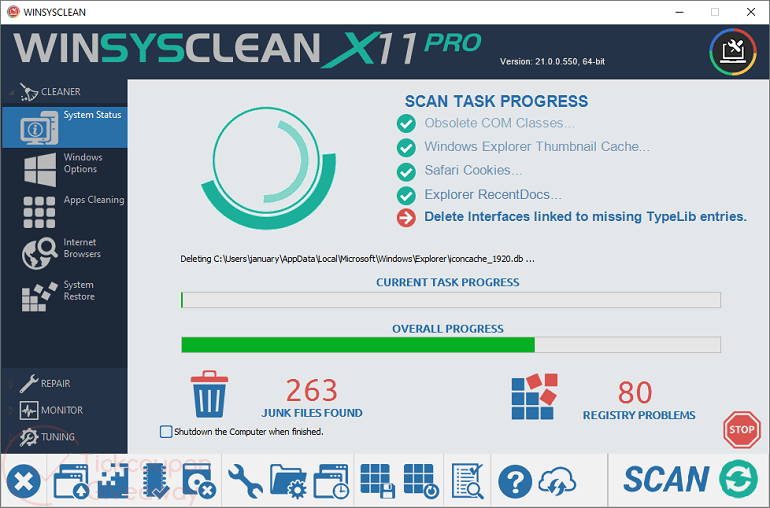
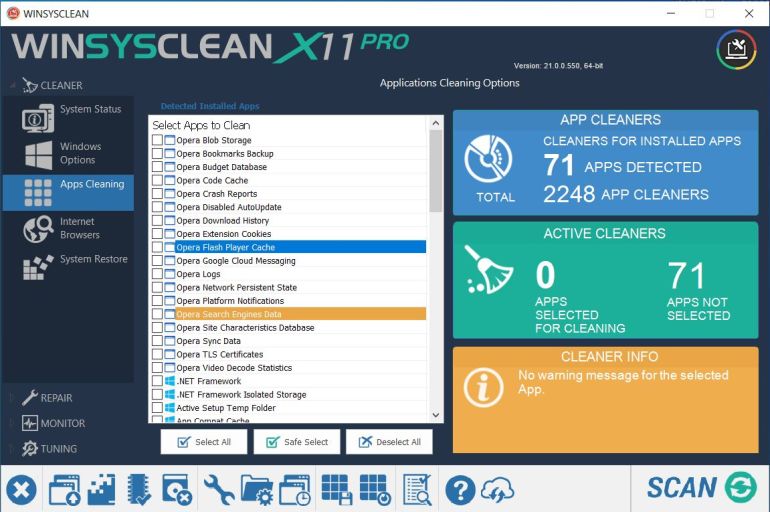
Met meer dan 2300 reinigings- en reparatiefuncties reduceert WinSysClean ongewenste bestanden tot een minimum en zorgt ervoor dat Windows minder geheugen gebruikt, meer systeembronnen vrijmaakt en zonder fouten werkt, wat resulteert in snellere pc-prestaties
Herstel Windows-fouten door registervermeldingen te herstellen die naar onjuiste systeembestanden verwijzen. WinSysClean reinigt ook het Windows-register door verouderde vermeldingen te verwijderen die zijn achtergelaten door niet-geïnstalleerde software, wat de prestaties van de pc aanzienlijk verbetert.
WinSysClean bevat Windows-afstemfuncties zoals; bureaubladaanpassingen, systeem speciale snelkoppelingen op het bureaublad, reparatie van Internet Explorer-favorieten, systeemmonitorgrafieken (cpu, geheugen, schijf, Windows-services en stuurprogramma's monitor)
WinSysClean scant alle Windows-bestanden en registerrecords op fouten, van stuurprogramma's tot applicaties met behulp van complexe Windows-registeranalyses. Windows-stuurprogramma Fouten of registervermeldingen die verwijzen naar ontbrekende stuurprogramma's worden automatisch hersteld door WinSysClean.
The current text is the result of machine translation. You can help us improve it.
Systeemvereisten:
Windows Server 2012/ Server 2008 R2/ Vista/ 7/ 8/ 8.1/ 10/ 11
Uitgever:
Ultimate SystemsWebsite:
https://www.usro.net/products/winsysclean/Bestandsgrootte:
18.2 MB
Licence details:
Lifetime, no updates
Prijs:
$19.50
GIVEAWAY download basket




iPhone dagaanbiedingen »





Android dagaanbiedingen »





Reactie op WinSysClean X11 PRO 21.0.0.550
Please add a comment explaining the reason behind your vote.
The best way to make your SSD wear out faster is to use such programs. And SSDs are better used as storage. That only storing and reading, no unnecessary operations.
Leave the maintenance to "maintenance center" from Windows.
Save | Cancel
Dino , the page you linked to seems dodgy, why not link directly to youtube?
WARNING the site ahead was reported to spread intrusive software.
Save | Cancel
An SSD is not as fragile as some people think. I have a laptop computer with a 120gb SSD that is now 8 years old. The SSD has 21,144 hours on it. I over-provisioned it in the beginning to use only 94% of the capacity. I Trim the SSD on occasion. Definitely NO defrag. I have 2 Linux and 1 Windows operating systems installed. I use the "sleep" function on my main OS. The SSD health according to SMART is still perfect.
Save | Cancel
"Your Milage May Vary" readily comes to mind Here, Now.
Can we please have some objecctive assessment of this Software to really assist decision making either way?
CHEERS!
Save | Cancel
"Can we please have some objecctive assessment of this Software to really assist decision making either way?"
WinSysClean X11 PRO & similar are fine to try as long as you've got a good, recent, disk / partition image backup that *you know you can restore* to put things back in the rare case it's necessary. [That part about knowing you can restore the backup is pretty important, as I've found several backup app USB sticks that will not work with UEFI & Secure Boot, e.g AOMEI, EaseUS etc.]
If your having a problem with Windows, WinSysClean X11 PRO **may** help -- you may decide it's worth a shot since there's very little you can do besides running a Windows Troubleshooter, which in my experience usually just wastes your time. Windows Is Not self-repairing. Windows version upgrades requiring a reinstall can usually repair Windows & help by clearing away a Lot of clutter, but it's uncertain if Win10 will see any more of those. You can perform a repair reinstall of Windows, though it doesn't seem to clear out as much leftover junk as upgrading. Windows does have a System File Checker tool, but I've never seen it help with Win10/11.
zdnet[.]com/article/the-ultimate-windows-troubleshooting-trick/
windowscentral[.]com/how-use-sfc-scannow-command-fix-problems-windows-10
Most repair attempts & alleged performance boosts rely on WinSysClean X11 PRO cleaning the registry, which generally amounts to clearing known caches & deleting entries with broken links to missing files &/or registry entries that do not exist. Logically that should not ever cause any problems, but software can contain legacy code that checks for & requires certain registry entries that no longer serve any purpose, so deleting them can break stuff. Logically it likewise shouldn't fix anything either -- a broken link shouldn't do anything because it's broken -- but some people report using a registry cleaner fixed their problem. The smaller the registry's physical size, the better, since it has to be read or parsed, but it takes deleting a Huge number of entries to make a real difference, so WinSysClean X11 PRO is *probably* not going to make a big difference in this respect.
WinSysClean X11 PRO can clean up a lot of junk files Windows & your software leave behind. Windows has Disk Cleanup & Storage Sense, which can help, but neither will get everything, & while WinSysClean X11 PRO does a better job, it won't always get everything either. There's just too much junk left behind. While a bunch of files, each taking up 1MB or less won't matter, you can easily accumulate 5-10GB, or more. And that can be a bigger problem than you think, because while you may have plenty of space left on an SSD, performance decreases, sometimes dramatically, if you exceed 50% of its capacity.
Regarding some comments concerning SSDs...
By default Windows will optimize hard disks & SSDs on a schedule -- it's best not to turn that off, as Microsoft has found SSDs need an occasional defrag to keep Windows performing optimally. Otherwise optimizing SSDs will run a TRIM function, supplementing the TRIM that's likely also run by the SSD's firmware automatically.
Most all hard disks / SSDs record some data concerning their status & performance that you can access using something like Crystal Disk Info, a free app that reads data stored in a drive's S.M.A.R.T. registers. What's recorded & how varies by make & model. Pay attention to past & current temperatures, as both conventional hard disks & SSDs can suffer degraded performance etc. if temps get too high. SSDs can have quite a bit of variation in both their design & the components used, and that goes a long way towards determining their theoretical lifespan & warranty duration. Their recorded S.M.A.R.T. data normally includes some indication of remaining *theoretical* life expectancy / remaining warranty, though how that info is reported also varies... where one drive might show a steady decrease in life remaining, another may drop 1% on day one, then stay at 99% for however long, or it may show 100% forever because the SSD's designers never bothered to make that register active. And that does reflect *theoretical* lifespan -- an SSD can fail at 100% or last years after it reaches 1%.
Save | Cancel
Cannot install this as I have a previous version 10 & the program wants to uninstall it but can't as it wants a valid copy of the installation package wsc_x10_pro msi...........blocked can't even delete the file now.
Save | Cancel